
Welcome to my last blog post reflection! I want to discuss some questions Randy has outlined for the class to think about when creating our classroom environments.
Links discussed in class:
- Think back to your own K-12 experience. Did you use any adaptive technologies, or see adaptive technologies used in your K-12 classes or schools?
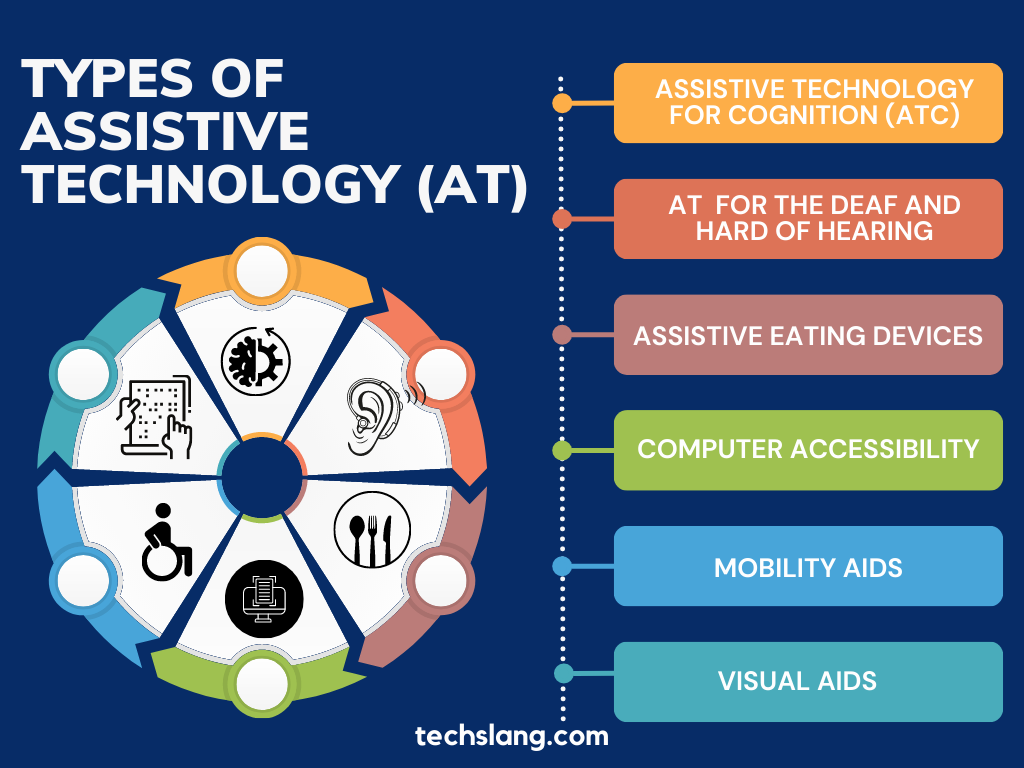
I grew up in small Catholic private schools throughout elementary and high school. I did not see many adaptive technologies being used in the classes or schools, other than a girl in my class using her laptop for notes. Most of the time, our tests were taken with pen and paper, and essays were written by hand in pencil. I recall using Chromebooks when needed, but not often. We had a girl in my class with non-verbal autism; however, I never saw the EA with a symbol sheet or a text-to-speech iPad, as we see in schools today.
- In your practicums or previous experiences, how effective have adaptive technologies been in helping the disabled?
Working in summer camps, I have had many inclusion workers with campers of high needs in my camps. They often will have the aforementioned iPads and symbol sheets as a means of communication with these campers. I believe they help tremendously, as the kids would point to what they needed, or text-to-speech the symbol on the iPad; for example, they would click the sandwich when they were hungry. I see this used in many classrooms as well. My Link2Practise kindergarten class had an English Language Learner (ELL) who only spoke Spanish. He used this iPad often to communicate his needs, while also attending a block a day where he could watch a show in Spanish. This aided in him not being overwhelmed in a new setting where his class only spoke English, and was a great integration technique into learning English amongst his classmates.
- Toward the end of the video, one teacher uses the adaptive technology analogy of giving glasses to students who have problems. Does that explain adaptive technologies? Why or why not?
The analogy of giving glasses to students who have vision problems helps explain adaptive technology because it shows how tools can remove barriers and allow students to access learning more easily. Just as glasses help someone see clearly so they can participate in everyday activities, adaptive technologies, like text-to-speech and symbol charts, help students with different learning needs engage with classroom material. However, I think the analogy is limited because adaptive technology supports a wide range of needs, including cognitive, physical, and sensory differences, and often changes how students interact with learning rather than fixing one problem. As a student teacher, this perspective is important because it reminds me that using adaptive technologies is about creating equitable learning opportunities, ensuring that all students can participate and succeed in the classroom.
- What are some of the pros and cons of using adaptive technologies in schools?
Adaptive technologies in schools have many benefits but also some challenges. One major advantage is that they help create more equitable learning environments by removing barriers for students with diverse learning needs. The tools I’ve discussed and other accessibility supports allow students to access content, participate in activities, and demonstrate their learning in ways that suit their strengths. Adaptive technologies can also increase student independence, confidence, and engagement. However, I think there are some drawbacks to consider- especially when not using tech in moderation. These technologies can be expensive, require training for teachers and students, and may not always be available to every learner, which can create inequities. Additionally, overreliance on technology may reduce opportunities for students to develop certain skills if not used thoughtfully. Adaptive technologies are most effective when used intentionally alongside strong teaching practices to support all learners, and not as the sole means of learning.
A Universal Design
Since the Universal Design for Learning (UDL) encourages teachers to provide multiple ways for students to access information, engage with learning, and demonstrate their understanding, many educational technologies can support these goals and are relatively accessible when designed properly. As mentioned above, text-to-speech and, moreover, adaptive keyboards support students with physical or motor challenges when using computers. These technologies help remove barriers and allow more students to participate in learning environments. Newer tools such as AI-powered personalized learning platforms, as well as immersive technologies like Virtual Reality (VR) and Augmented Reality (AR), can further support accessibility by adapting learning experiences to individual needs and creating interactive environments that engage students with diverse abilities. Beyond accessibility, these technologies can increase student engagement, support collaboration, and provide teachers with data that helps improve instructional practices and better support all learners.
Additional Links:
https://www2.gov.bc.ca/gov/content/home/accessible-government/toolkit/assistive-technology
Comments
One response to “Inclusive Technologies”
Kajsa, thank you for reinforcing the importance of inclusion and emphasizing the need to prioritize building an accessible classroom learning environment.
Thanks for the discussion on XR, AR, and VR. While not necessarily designed for all students, these tools can form an important connection for students who are left out of many activities.
I concur that not all tools may be available to students outside of the classroom. The need to help students be active contributors in society post-school is an important goal as well.